Steel plant operator training

BOF Steelmaking Simulator

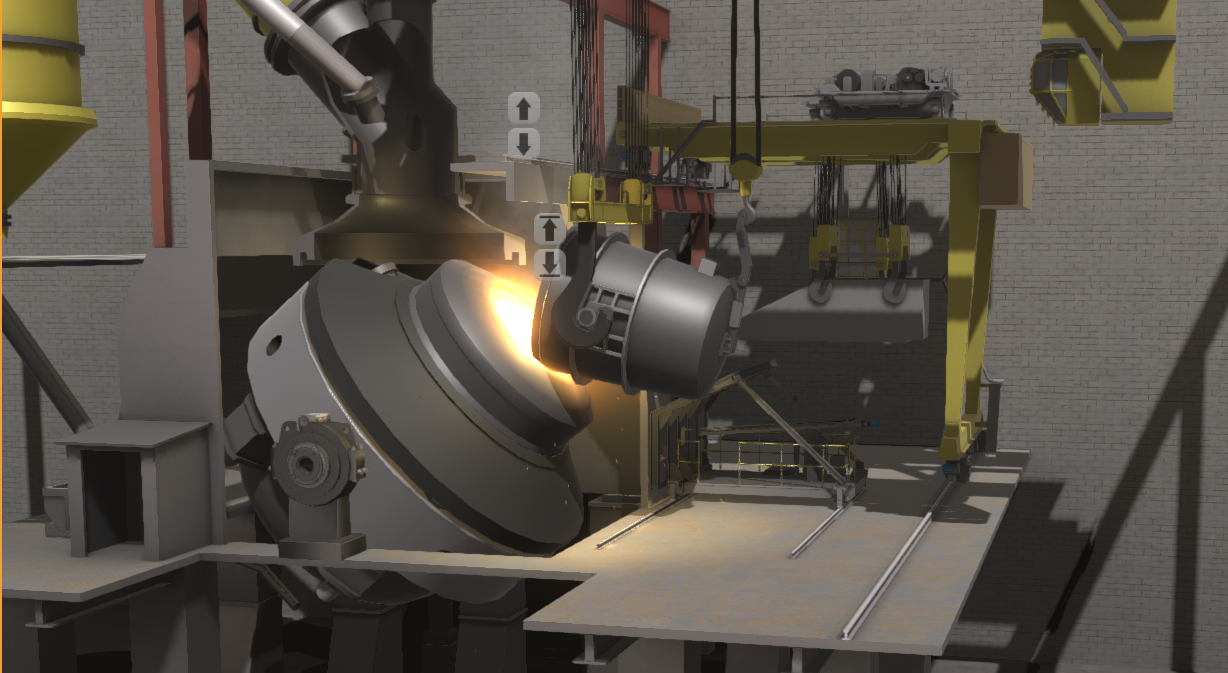
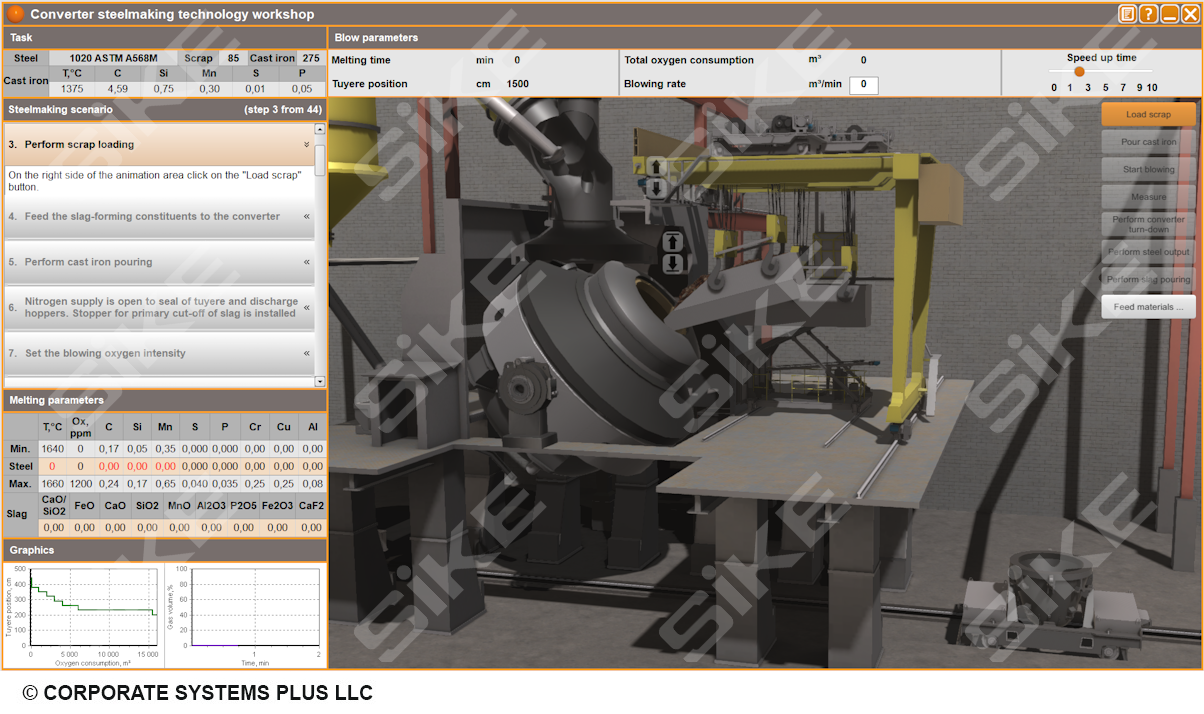
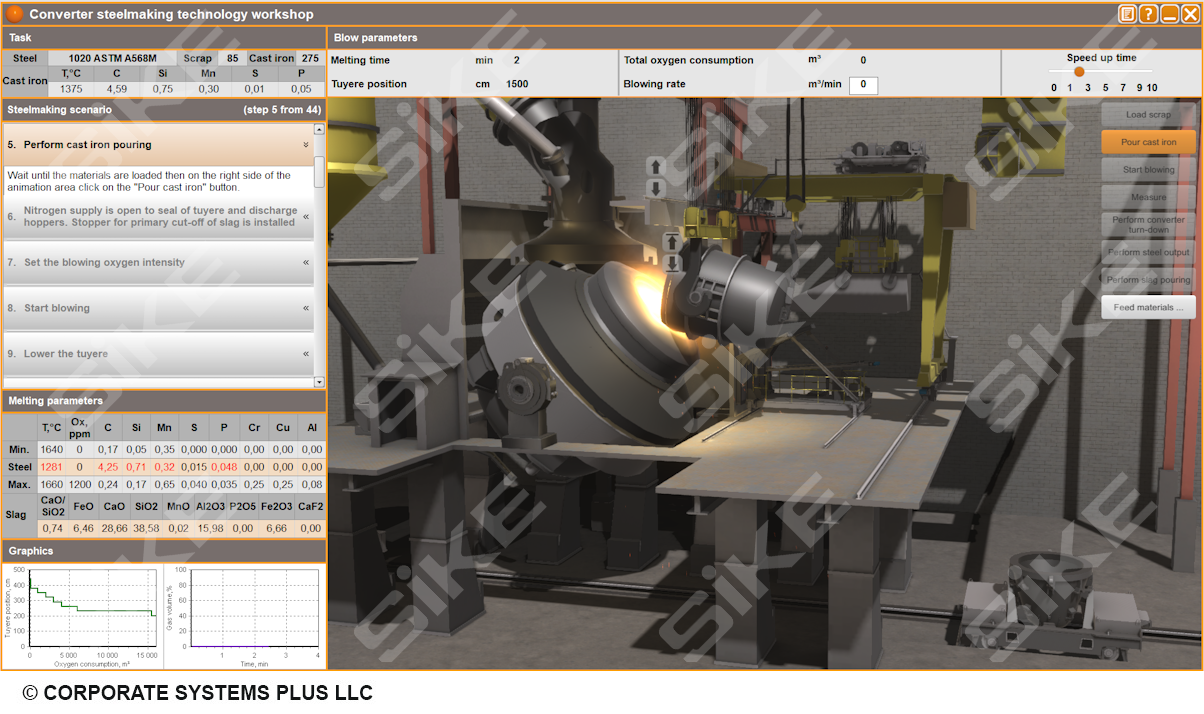
Charging the basic oxygen furnace in the SIKE 3D simulator

Choose your simulator version

English-language simulator screen with a 3D view of the converter and on-screen controls

Software only

PC Simulator

Run simulated heats on a PC. Operate the converter using on-screen controls, see how the equipment moves in 3D and monitor process parameters.

  • On-screen controls on a PC
  • For operator onboarding and refresher training

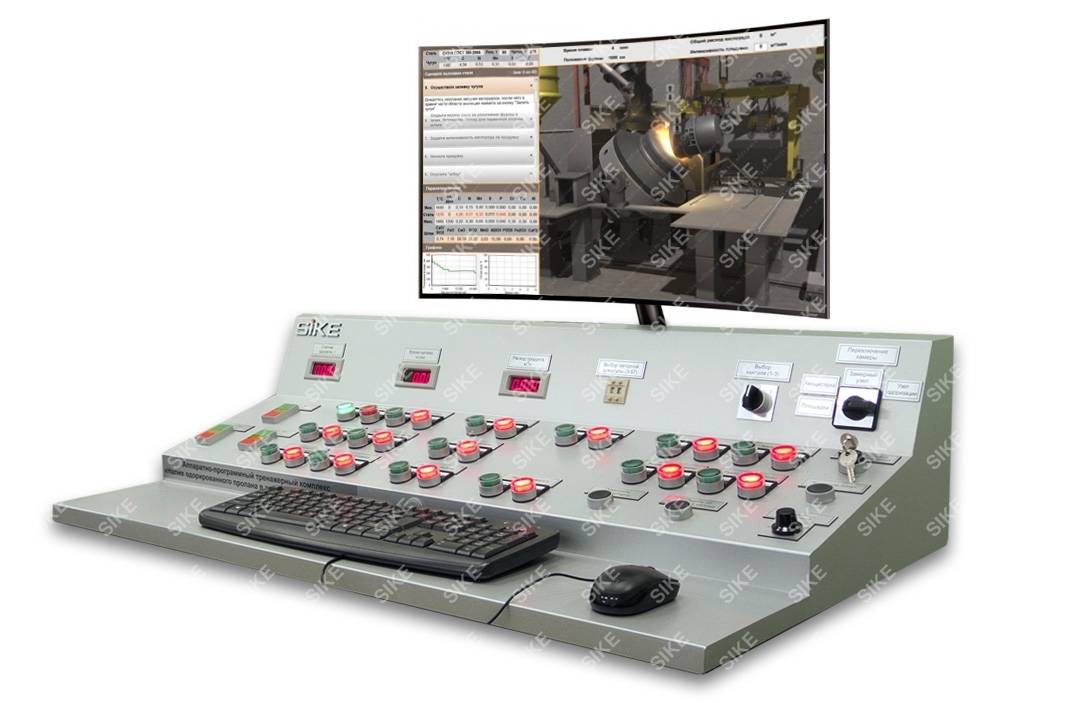
Physical control console with a monitor for the BOF steelmaking simulator

Hardware + Software

Simulator with Physical Control Console

Operate the virtual converter from a physical console. Its buttons and switches follow the layout of a plant control console.

  • Physical console mounted on a mobile platform
  • Perpetual simulator software licence
  • For plant training centres and technical colleges

What operators practise

  1. Prepare the heat

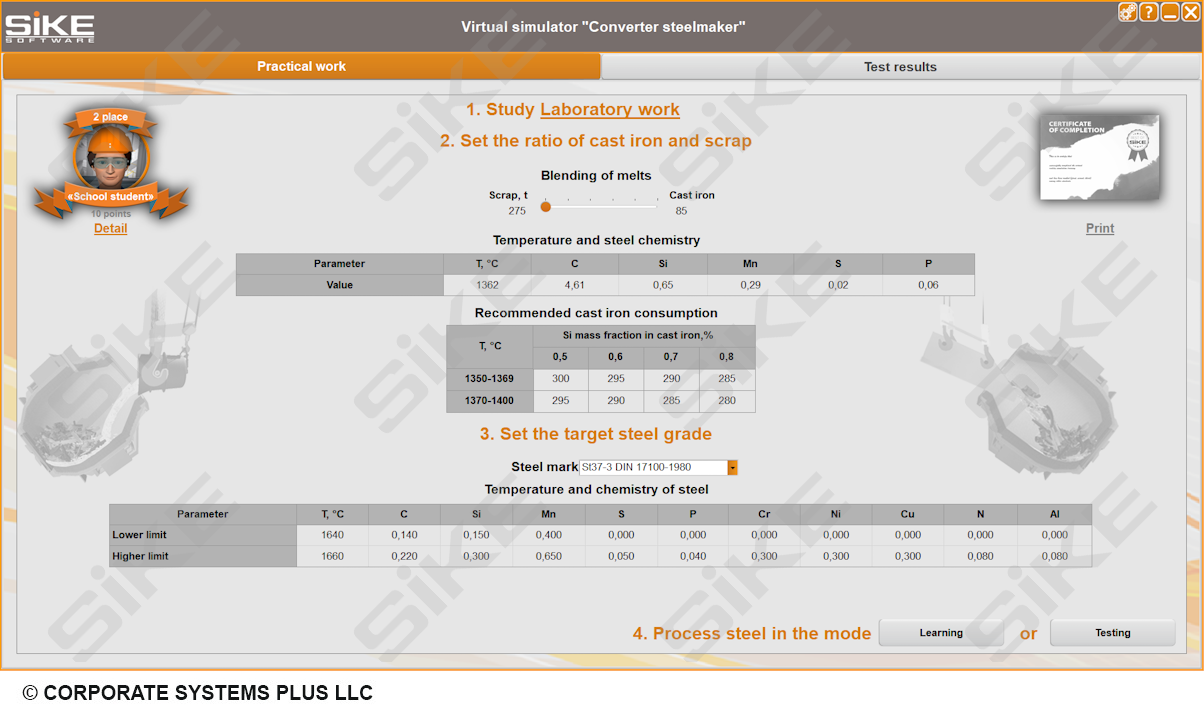
    Operators select the target steel grade and calculate the hot metal-to-scrap ratio.

  2. Run the heat

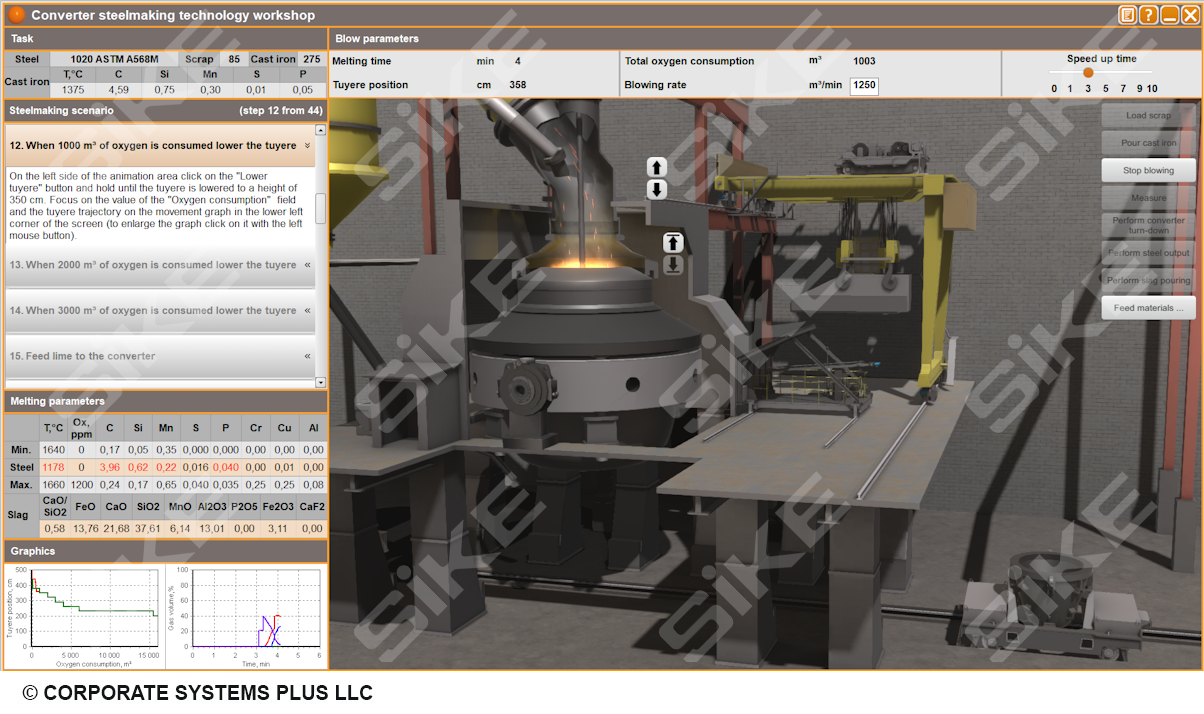
    They load the charge materials into the converter and pour in hot metal. They add fluxes, adjust oxygen blowing and monitor process parameters.

  3. Tap the steel

    They check the steel chemistry and temperature before tapping and calculate the ferroalloy additions.

  4. Review the results

    They compare the heat results with the target values and review the operator’s actions.

Five steel grades St37-3, 1020, St14, 1010, 13Mn6

Simulator walkthrough

Walkthrough video to be added

Training and assessment

Training mode
Follow step-by-step instructions and consult reference materials on converter equipment and the steelmaking process.
Testing mode
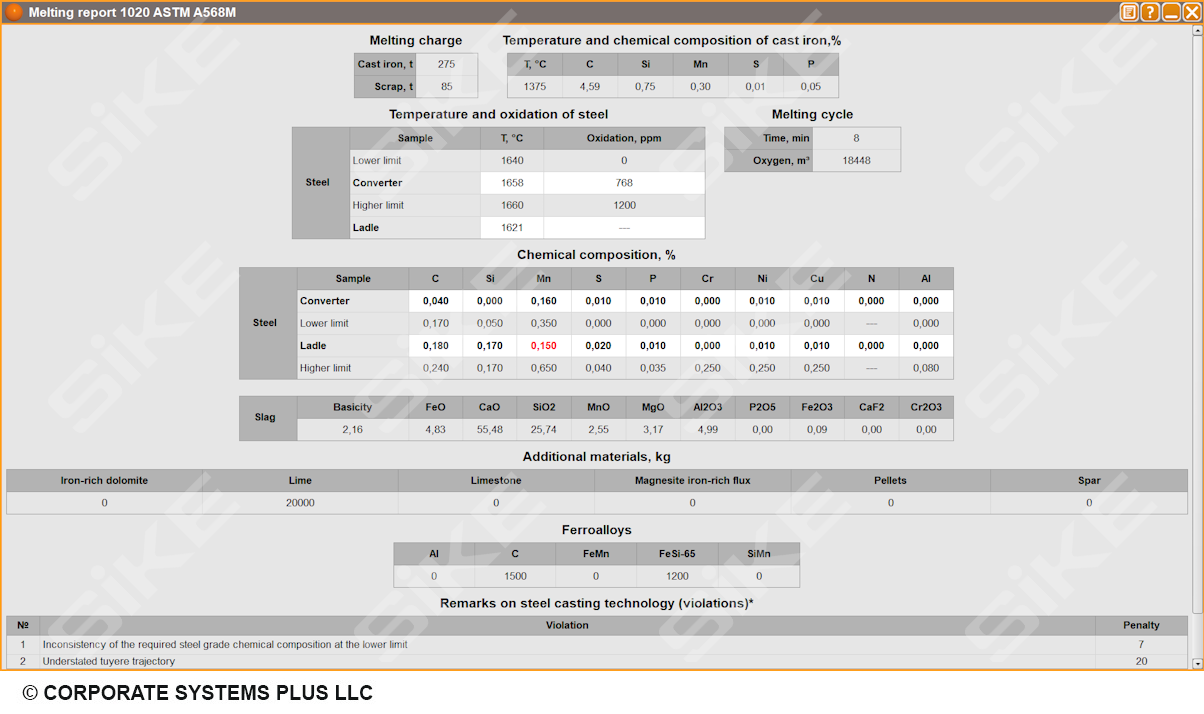
Run a heat independently. Use the heat report to review final steel chemistry, temperature and process deviations.
Simulator heat report showing process results
Example heat report

Licences and ordering

Software only

PC Simulator

Licence for local installation on one PC. Available to buy online.

90 days 70 700 ₸ Buy Now
365 days 188 500 ₸ Buy Now
Lifetime 471 300 ₸ Buy Now

Prices include VAT.

Hardware + Software

Physical Control Console

Perpetual software licence. The package includes the simulator software, a PC and a physical control console.

Price on request

Request Pricing

System Requirements

PC version

For installing the simulator on a PC.

Operating system
Windows 10 or 11, 64-bit
Processor
At least 4 cores, a base clock of at least 2 GHz and a boost clock of at least 3.3 GHz
Memory
At least 8 GB DDR4 at 3200 MHz or higher
Graphics
DirectX 11, at least 2 GB GDDR5 and a GPU clock of at least 1200 MHz
Storage
SSD, at least 256 GB
Display
1920 × 1080